
Cloudflare triggers the ChatGPT Error Code 1020 as a security protection layer. The firewall flags your connection as a potential threat or “malicious” activity. This doesn’t necessarily mean you did something wrong; instead, your current network configuration matches a pattern that Cloudflare actively blocks.
Several technical reasons trigger this block:
- IP Reputation Issues: If you use a shared IP address (common in offices or public Wi-Fi) that someone previously used for spam, Cloudflare blocks the entire IP range.
- Corrupted Browser Metadata: Corrupted cookies or cache in your browser send incorrect security tokens, causing a mismatch with the server.
- VPN & Proxy Conflicts: OpenAI blacklists many VPN servers to prevent automated data scraping. An active VPN is often the primary culprit.
- Request Header Inconsistencies: Browser extensions (like script managers or custom dark modes) modify your request headers. This makes the site suspect you are an automated bot rather than a human user.
- Time Synchronization: A slight mismatch in your local system’s time causes an SSL/TLS handshake failure. Cloudflare interprets this as a significant security risk.
ChatGPT Error 1020 vs. Other Common Errors: A Comparison
Before you dive into the fixes, identify whether you face a firewall block or a server-side issue. Use the table below to see the differences:
| Error Code | Meaning | Primary Cause | Immediate Fix |
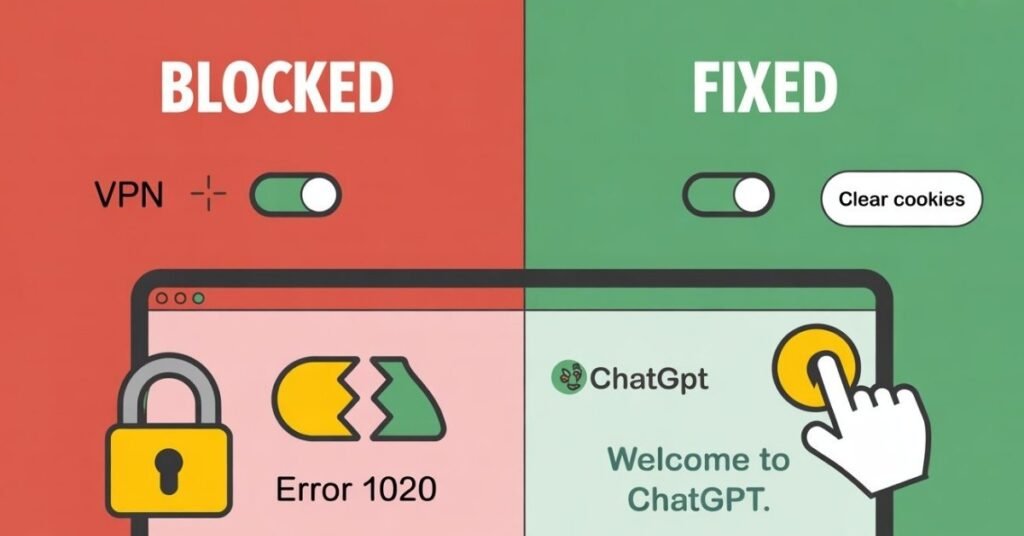
| Error 1020 | Access Denied | Cloudflare Firewall Block | Disable VPN / Clear Cookies |
| Error 429 | Too Many Requests | Rate limiting (Too many prompts) | Wait 1 hour / New Session |
| Error 500 | Internal Server Error | OpenAI Server-side glitch | Check Status Page / Refresh |
| Network Error | Timeout Issue | Unstable Internet Connection | Use shorter prompts |
How to Fix ChatGPT Access Denied (Step-by-Step Guide)
1. Clear Site-Specific Cookies
Instead of clearing your entire browser history which logs you out of every website clear only OpenAI’s specific data.
- Click the lock icon next to the URL in your address bar.
- Select “Cookies and site data” or “Site Settings.”
- Locate and delete all entries related to openai.com.
- Refresh the page and log in again.
2. Fix Android Glitches: ChatGPT Voice Mode Not Working on Android
Android users often notice that ChatGPT voice mode not working on Android accompanies the “Access Denied” error. Your network settings likely restrict the app’s security certificate or background data.
- The Fix: Open Settings > Apps > ChatGPT > Storage and tap “Clear Cache.” * Disable VPN: Ensure you turn off any VPN on your phone, as mobile VPNs frequently trigger Error 1020.
- Check Permissions: Confirm the app has Microphone permissions enabled; otherwise, voice mode fails even after you resolve the firewall block.
3. Sync Your System Clock
Cloudflare relies on time-stamped tokens for security. If your clock is off by even a minute, the system denies your request.
- Windows: Navigate to Settings > Time & Language > Date & Time and click the “Sync Now” button.
- Mobile: Toggle “Set time automatically” to ON in your system settings.
4. Disable Conflicting Extensions
Browser extensions that modify page appearance or block scripts often interfere with the security handshake.
- Open ChatGPT in Incognito/Private Mode.
- If the site loads, an extension is the culprit. Disable them one by one to find the specific “bad actor.”
Advanced Network Fixes for Persistent Blocks
If the basic steps fail, the issue likely resides at the network level.
Flush Your DNS Cache
Old network data sometimes points your browser to the wrong security gate. To clear this on Windows:
- Open the Command Prompt as an Administrator.
- Type ipconfig /flushdns and hit Enter.
- Restart your browser and try logging in again.
Change Your DNS Server
Your ISP’s default DNS might cause routing errors. Switching to Google’s public DNS often resolves “Access Denied” issues:
- Preferred DNS: 8.8.8.8
- Alternate DNS: 8.8.4.4
The “Digital Roadblock”: Why Systematic Troubleshooting Matters
Fixing technical errors while stressed is nearly impossible. Many users find that dealing with a technical glitch like Error 1020 feels like hitting a brick wall right when they are most productive. The constant “Access Denied” message disrupts your workflow and creates intense frustration, much like a persistent alarm that you cannot silence. This digital interruption halts your progress and forces you to lose focus on your primary tasks.
To solve this, you must apply a systematic approach rather than trying random fixes. You resolve these roadblocks by identifying the specific network trigger whether it is a faulty IP configuration, a browser extension conflict, or a security certificate mismatch. Once you systematically remove this technical “noise,” you can restore your access and return to your work in a calm, focused environment.
ChatGPT Error 1020 FAQ
A: Turn off your VPN, clear browser cookies for openai.com, and sync your system clock. If that fails, try a different network or browser.
A: Network restrictions or an outdated app usually cause this. Clear the app cache and disable your VPN to restore voice functionality.
A: No, it’s a temporary security filter. Changing your IP address or clearing browser data usually resolves the block instantly.
A: Yes, OpenAI blacklists many VPN IPs to prevent bot attacks. Disabling your VPN is the fastest way to fix the issue.
Cloudflare blocks IPs showing suspicious patterns, such as multiple failed login attempts or shared addresses used by bots.
Final Summary Checklist
Follow this checklist to ensure you never see the “Access Denied” message again:
- Update your browser to the latest version.
- Keep the ChatGPT Android app updated so voice mode functions correctly.
- Avoid using low-quality free VPNs.
- Check status.openai.com to see if a global outage caused the block.