
Error 1020 “Access Denied” occurs when a website’s Cloudflare firewall flags your IP address or browser behavior as a threat. For 2026, the most effective fixes are updating your TLS handshake profile, switching to a dedicated IP VPN, or utilizing residential proxies to bypass reputation-based blocks.
Personal Experience: The Nomad’s Roadblock
I’ve been there: sitting in a quiet café in Lisbon, or a coworking space in Bali, trying to access a critical database. Suddenly, a white screen hits with those dreaded gray letters. In my years as a security architect, I’ve realized this isn’t just a glitch it’s a digital wall that requires a strategic key to unlock.
What is the 1020 Web Security Error?
In 2026, web security is more aggressive than ever. Error 1020 is a specific response from Cloudflare’s Web Application Firewall (WAF). It means you haven’t just stumbled onto a broken link; you have been actively filtered out. The server has analyzed your connection and decided it looks too much like a bot, a scraper, or a malicious actor from a high-risk region.
The Evolution of the 1020 Error
Unlike older versions of the web where simple IP blocks were common, modern 1020 errors utilize Behavioral Analysis. The firewall looks at how fast you’re clicking, what browser extensions you’re running, and even how your computer “negotiates” its initial connection.
Why Travelers and VPN Users are High-Risk
If you are a remote researcher or a traveler, you are statistically more likely to trigger a 1020 error. Here is the “Why” behind the “Access Denied.”
1. The “Dirty IP” Problem (IP Reputation)
When you use a popular VPN, you share an IP address with thousands of others. If one person uses that IP for malicious scraping, the entire IP gets a “bad reputation score.” Cloudflare’s global database remembers this, and you pay the price.
2. Geo-Blocking & Firewalls
Many enterprise-level sites implement “Geo-fencing.” If a site owner sees a spike in attacks from a specific region, they might set a hard rule: Block all traffic from Country X. If you happen to be traveling through that country, your legitimate request hits that wall.
3. TLS Fingerprinting (The Silent Snitch)
This is the most technical reason. Even before you send a request, your browser performs a “TLS Handshake.” Cloudflare uses JA3/JA4 Fingerprinting to analyze this handshake.
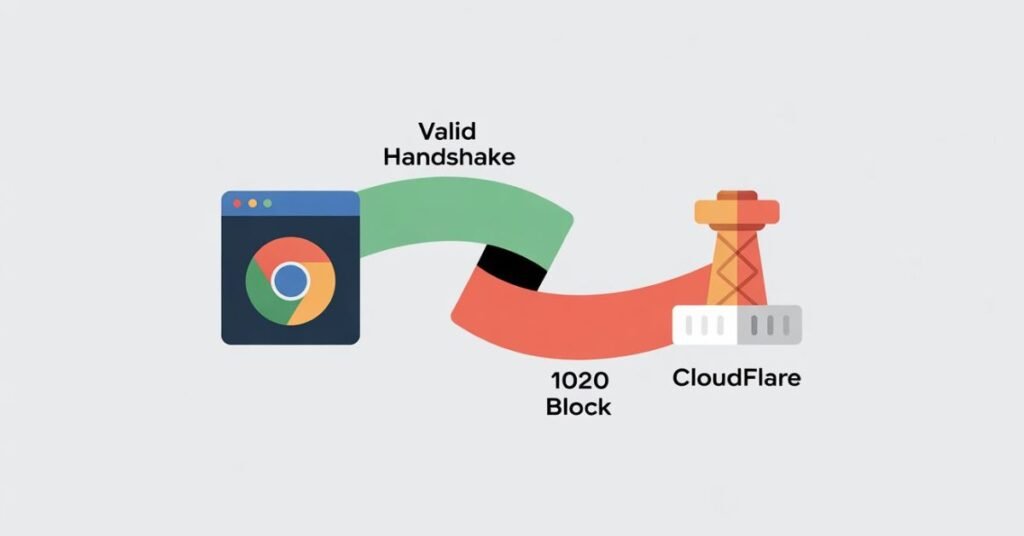
Visual Aid: The TLS Handshake Infographic (Concept) Imagine a flowchart: Your Browser sends a “Client Hello” packet containing its supported ciphers. The Firewall compares this “Handshake” against a database of known bots. If the handshake is too “generic” (like a Python script) or “suspicious” (like an outdated VPN client), the Firewall sends an “Access Denied” instead of a “Server Hello.”
Strategic Comparison: Choosing Your Connection Tool
For researchers and travelers, choosing the right tool is the difference between working and being locked out.
| Feature | Standard VPN | Dedicated IP VPN | Residential Proxy |
| IP Privacy | High (Shared) | High (Private) | High (Real User IP) |
| 1020 Success Rate | Low | Medium-High | Highest |
| Cost | $ | $$ | $$$ |
| Best For | Casual Browsing | Secure Remote Work | Heavy Data Research |
| Risk | High (IP Flagging) | Low | Minimal |
Step-by-Step: How to Fix Error 1020 in 2026
Step 1: The Ray ID Strategy
At the bottom of every 1020 error page is a Cloudflare Ray ID.
- The Move: Copy this ID immediately. If the site is critical for your work, email the webmaster.
- Why: “I’m blocked” is vague. Providing the Ray ID allows an admin to see exactly which firewall rule you tripped and whitelist your specific connection.
Step 2: Protocol Switching (WireGuard vs. OpenVPN)
If you’re using a VPN, change the protocol.
- The Fix: Switch from OpenVPN to WireGuard.
- The Logic: Modern WAFs are trained to recognize the packet headers of older protocols. WireGuard is faster and often “cleaner” in the eyes of security filters.
Step 3: Advanced Browser “Sanitization”
If clearing cookies didn’t work, your Browser Integrity Check likely failed.
- The Fix: Open the site in a “Clean Profile” (Chrome > Profile Icon > Add).
- Expert Tip: Ensure your System Clock is set to “Automatic.” If your laptop is set to your home timezone but your IP is in London, the time-mismatch in the security certificate will trigger a 1020 error every time.
Step 4: Normalizing Your User-Agent

If you use “User-Agent Switcher” extensions to look like you’re on a different device, turn them off. In 2026, Cloudflare detects the discrepancy between your declared User-Agent and your actual hardware capabilities (Canvas Fingerprinting). This mismatch is a 10-out-of-10 “Bot Signal.”
The Researcher’s 1020 Survival Checklist
When you’re in the field, you don’t have time to troubleshoot for hours. Follow this hierarchy:
- Check Local Time: Match your system clock to your current physical location.
- Disable “Shields”: Turn off Brave Shields or uBlock Origin for that specific site to allow the integrity check to run.
- Cycle VPN Servers: Move to a “low-traffic” city (e.g., instead of New York, try Charlotte).
- Check for Rate Limiting: Ensure you don’t have dozens of tabs of the same site open, which mimics a DDoS attack.
Conclusion: Stay Connected, Stay Secure
The 1020 Web Security error is a sign that the web is becoming more protective. However, for the global workforce, it’s just another hurdle. By understanding your IP reputation and keeping your browser’s digital signature “clean,” you can move through these firewalls like a ghost.
What’s your Ray ID? If you’ve tried everything above and still can’t get in, drop a comment below with your region. Our community of remote researchers often tracks which servers are currently blacklisted.
Free Resource:Download our 2026 Traveler’s Connectivity Checklist (PDF) – Keep this on your phone for offline troubleshooting when you’re stuck behind a firewall in a new country.