
Artificial intelligence can now help you research a topic, improve an email, create a presentation, generate a visual, understand a PDF, write code or summarize a meeting without purchasing several expensive software subscriptions.
The difficulty is finding tools that are genuinely useful without payment. Many articles describing free AI platforms mix permanent free plans with short trials, outdated offers and features that are almost entirely locked behind an upgrade.
If you searched for AI tools free to use, this guide will help you separate practical free plans from limited product demonstrations. It explains what each platform does well, what its free access currently includes, where the restrictions appear and which type of user should choose it.
There is no single AI platform that is best for every task. A research assistant, writing tool, image generator and coding companion solve different problems, so the most effective setup normally combines two or three carefully selected tools.
Quick Answer: What Is the Best Free AI Tool?
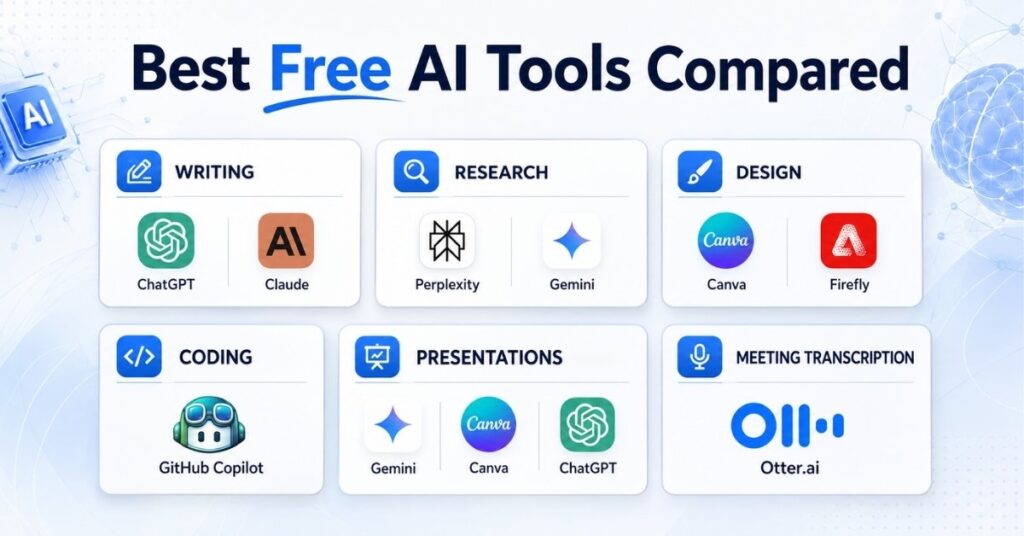
ChatGPT is the strongest general starting point for mixed everyday tasks. Google Gemini offers a broad collection of free features, Claude is particularly useful for thoughtful writing, Perplexity is designed for web research, and NotebookLM works well when your answers must be based on documents you provide.
Canva and Adobe Firefly are better suited to visual work. GitHub Copilot supports coding, Gamma creates presentation drafts, Grammarly improves English writing, and Otter.ai converts meetings into searchable transcripts.
The right choice therefore depends less on which tool is most popular and more on what you need to accomplish.
Best Free AI Tools Compared
| Tool | Best For | What the Free Version Offers | Main Restriction |
| ChatGPT | General AI assistance | Chat, files, images and data tools with limits | Separate usage limits can apply |
| Google Gemini | Broad Google-powered AI features | Chat, files, Canvas, images and selected research tools | Compute-based and weekly limits |
| Claude | Long-form writing and analysis | Limited free conversational access | Capacity can run out during heavy use |
| Microsoft Copilot | Web and Windows-based assistance | Free chat for general and web tasks | Deeper Microsoft 365 features may require payment |
| Perplexity | Source-supported web research | Basic searches and limited file use | Advanced models and creation tools are restricted |
| NotebookLM | Researching your own documents | Source-based chat and audio overviews | Daily query and generation limits |
| Canva | Social and marketing graphics | Limited monthly AI allowance | Premium assets and larger limits require payment |
| Adobe Firefly | AI images and creative editing | Limited daily image, video and audio generations | Daily generation allowance |
| Grammarly | Grammar and rewriting | Core corrections and limited AI prompts | Advanced rewriting is restricted |
| Gamma | Presentations and visual documents | Starter AI credits | Free credits do not automatically renew |
| GitHub Copilot | Coding assistance | Limited completions and chat requests | Monthly usage limits |
| Otter.ai | Meeting transcription | Monthly transcription allowance | Per-conversation and import limits |
How We Selected These Tools
This guide does not rank platforms by hype, social media popularity or the size of their marketing campaigns.
Each tool was assessed against five practical questions:
- Does it offer continuing free access rather than only a short trial?
- Can a user complete a meaningful task without immediately upgrading?
- Is its free-plan information documented by the provider?
- Does it solve a clearly defined problem?
- Are its limitations understandable before a user invests time in it?
Free-plan facts were checked through official pricing and support pages on August 4, 2026. We have avoided claiming that a tool is unlimited when its allowance depends on demand, compute usage, account type or changing provider policies.
1. ChatGPT: Best Free AI Tool for General Everyday Tasks

ChatGPT is the most versatile starting point for users who do not yet know which specialized platform they need.
It can help explain difficult topics, brainstorm ideas, create outlines, analyze uploaded material, rewrite text, generate images and assist with programming.
The free tier provides access to core chat functionality, but its usage is not unlimited. OpenAI explains that model access can pause when the current free-tier limit is reached, while file uploads, image creation and data analysis may have separate restrictions.
This makes ChatGPT useful for occasional or mixed tasks rather than nonstop professional production.
A user could ask it to simplify a technical explanation, turn notes into a checklist and improve an email within the same conversation.
Best for: General questions, brainstorming, learning, basic writing, file analysis and occasional creative work.
What makes it useful: You do not need to move between several tools for every small task.
Main limitation: Intensive file, image or data work may use up the available free allowance faster than ordinary text conversations.
Choose ChatGPT when: You want one flexible assistant that can handle many different types of work.
Skip it when: Your primary requirement is highly specialized source-based research, presentation design or meeting transcription.
2. Google Gemini: Best Free AI Tool for a Broad Feature Set
Google Gemini is a capable alternative for users who already work with Google products or need a combination of text, image, file and research features.Google currently describes Gemini’s standard access as compute-based.
Limits depend on prompt complexity, conversation length, model choice and feature usage, with allowances refreshing during the week until a weekly limit is reached.
Its current help documentation lists standard access to several models as well as features including Canvas, connected apps, quizzes, audio overviews, Deep Research and image generation.
Availability can still vary, and computationally demanding features may become unavailable during periods of heavy demand.
Gemini is especially helpful when you need to work with Google-centered information or move between research, planning and creative output.
Best for: Google users, students, broad research, multimodal prompts and idea development.
What makes it useful: Its free experience covers several different categories rather than only conversational text.
Main limitation: Google does not present the standard allowance as one simple daily message number. Complex requests can consume more capacity.
Choose Gemini when: You need a wide set of AI features connected to a Google account.
Skip it when: You require predictable fixed limits for daily professional work.
3. Claude: Best Free AI Tool for Natural Writing and Careful Analysis
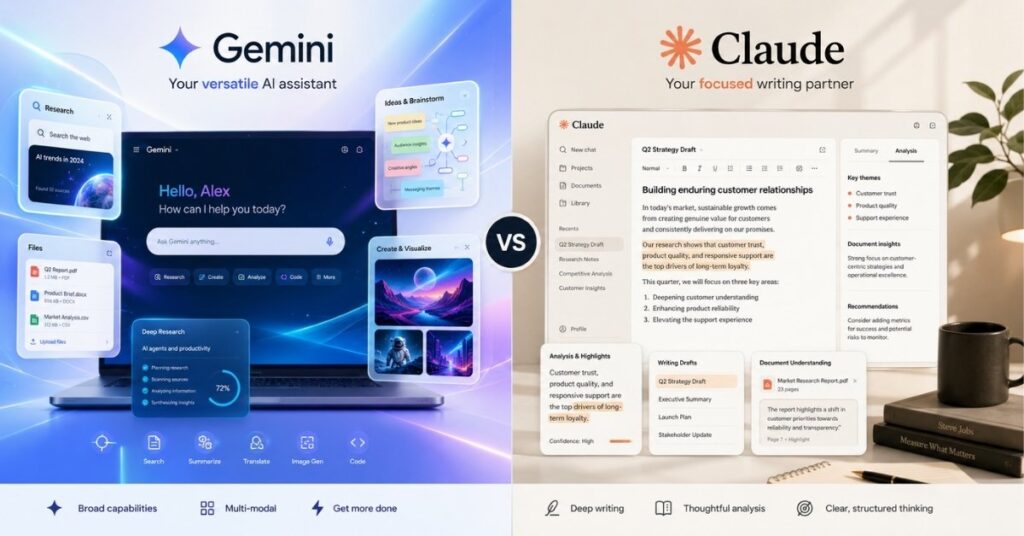
Claude is particularly suitable for long explanations, structured analysis, rewriting and document-focused work.
It often performs best when a user supplies detailed context and wants a thoughtful, well-organized response.
Anthropic offers a $0 Claude plan with limited usage capacity for occasional users. Paid plans provide higher allowances, but the free service remains available without subscribing.
Claude can be useful when turning rough notes into a logical document, identifying unclear sections in an article or comparing several arguments.
It is still important to verify factual claims and revise generated text into your own voice.
Best for: Articles, reports, summaries, document analysis and structured explanations.
What makes it useful: It handles detailed instructions and long-form organization well.
Main limitation: The free allowance can be restrictive when working with long documents or repeated requests.
Choose Claude when: Writing quality and clear organization matter more than visual generation.
Skip it when: You mainly need images, presentation design or heavy daily usage.
4. Microsoft Copilot: Best Free AI Tool for Windows and Web Users
Microsoft Copilot provides free conversational assistance for general questions, web-oriented tasks, idea generation and everyday productivity.Microsoft describes its free Copilot experience as suitable for general questions, first-time AI users and web-based tasks.
It can be accessed through a browser and supported Microsoft surfaces, while more extensive integration inside Microsoft 365 products depends on the user’s eligible subscription and account setup.
Copilot is a practical option for someone who already uses Microsoft Edge, Windows or a Microsoft account and wants an AI assistant without adopting an entirely new ecosystem.
Best for: Windows users, basic web tasks, everyday questions and Microsoft-focused workflows.
What makes it useful: It fits naturally into products many office and home users already use.
Main limitation: The most valuable Word, Excel, Outlook and PowerPoint integrations may require an eligible Microsoft 365 plan.
Choose Copilot when: You want a familiar assistant within Microsoft’s ecosystem.
Skip it when: Your main priority is advanced independent research or specialist creative generation.
5. Perplexity: Best Free AI Tool for Web Research
Perplexity is designed around search and research rather than only open-ended conversation. It presents answers alongside online sources, making it easier to inspect where information came from.
Its Standard free plan currently includes search history, practically unlimited basic searches, a very limited amount of Pro Searches and limited basic file uploads. The free tier does not include advanced model selection, premium image generation or premium support.
Perplexity is useful for collecting an initial set of sources, comparing current information and understanding an unfamiliar subject.
It should not replace manual verification, particularly when researching health, law, finance or rapidly changing news.
Best for: Current information, source discovery, comparison research and early fact-checking.
What makes it useful: Sources are visible and easier to inspect than in many ordinary chatbot answers.
Main limitation: Basic access is generous, but deeper searches and advanced models are restricted.
Choose Perplexity when: You need to find and review web sources quickly.
Skip it when: You need a polished long-form writer or advanced visual creator.
6. NotebookLM: Best Free AI Tool for Your Own PDFs and Sources
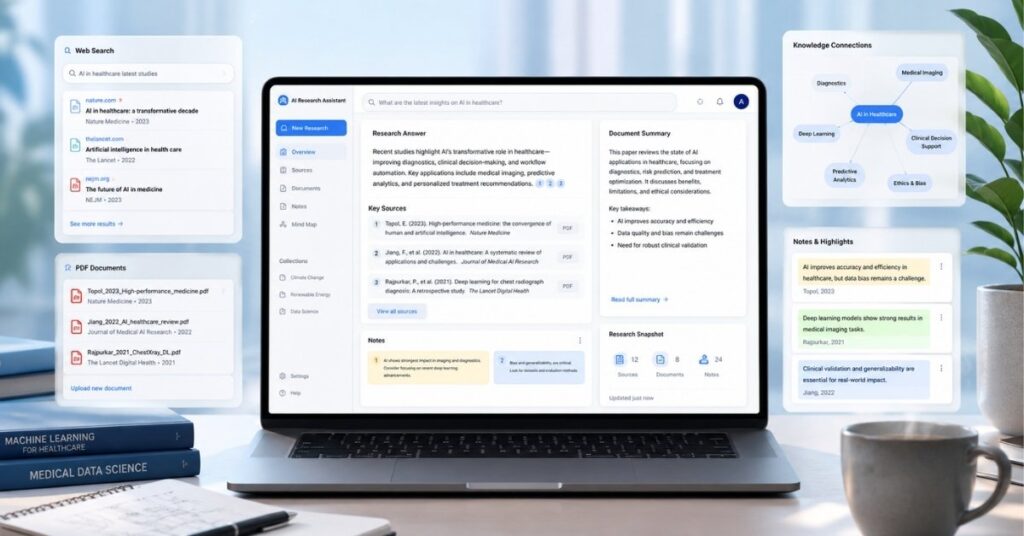
NotebookLM is different from a normal chatbot because it is built around sources supplied by the user. You can add documents and then ask questions, generate summaries or explore connections within that material.
Google’s current free limits include 50 chat queries and three audio generations per day. Higher plans increase these allowances, but standard users can still perform meaningful source-based research without paying.
This approach is particularly useful for lecture notes, reports, research papers, interview transcripts and project documentation.
Because the answers are centered on selected sources, users can more easily trace claims back to the provided material.
Best for: Students, researchers, writers and professionals working with several documents.
What makes it useful: It keeps the conversation focused on information you deliberately add.
Main limitation: Daily chat and audio limits apply, and poor source material will still produce poor conclusions.
Choose NotebookLM when: Accuracy needs to be grounded in your own collection of documents.
Skip it when: You need broad open-web discovery instead of source-restricted analysis.
7. Canva: Best Free AI Tool for Social Media and Marketing Graphics
Canva combines templates, design editing and AI assistance in a beginner-friendly interface. It is suitable for social posts, blog graphics, presentations, thumbnails, simple advertisements and visual documents.
Canva’s current pricing page estimates that free users can receive up to 200 uses of Standard AI tools or up to 20 uses of Premium AI tools.
The real total depends on the feature, task complexity and whether different tool types are combined, and the allowance resets monthly.
The best use of Canva AI is to generate a starting point and then improve it manually. Changing the typography, spacing, images, brand colors and message will normally produce a more distinctive result than publishing the first generated layout.
Best for: Bloggers, students, marketers, social media managers and small businesses.
What makes it useful: It combines AI creation with a complete visual editor.
Main limitation: Premium templates, assets and larger AI allowances require an upgrade.
Choose Canva when: You need practical content that can be edited and published quickly.
Skip it when: You need detailed professional photo manipulation or complete control over generative models.
8. Adobe Firefly: Best Free AI Tool for Creative Image Experiments
Adobe Firefly focuses on generative images, creative editing, audio and video experimentation. It is useful for generating concepts, replacing backgrounds, exploring styles and producing visual assets that can later be refined.
Adobe currently offers a Firefly Free plan with limited daily generations across selected standard and premium image, video and audio features.
The exact available models and allowance can change, while paid Firefly plans provide monthly credits and broader access.
Firefly is a better fit for creative experimentation than unlimited production. A designer or blogger can use it to explore several visual directions before completing the final asset in a dedicated editor.
Best for: Image concepts, generative editing, creative backgrounds and Adobe users.
What makes it useful: It connects generative creation with familiar Adobe-style workflows.
Main limitation: Free generations are limited and demanding media features can consume the available allowance quickly.
Choose Firefly when: You want an AI image and editing tool with a strong creative workflow.
Skip it when: You need a high volume of free video or image production every day.
9. Grammarly: Best Free AI Tool for Improving English Writing
Grammarly helps identify grammar, spelling, punctuation, clarity and tone issues. Its AI features can also help generate or rewrite text, although the free allowance is smaller than the paid plan.
The current free plan includes 100 generative AI prompts along with core writing assistance. More advanced rewriting and a substantially larger prompt allowance are part of the paid service.
Grammarly is most valuable after a draft has already been written. It can catch overlooked mistakes, but automatically accepting every recommendation may remove personality or alter the intended meaning.
Best for: Emails, articles, assignments, workplace messages and English-language editing.
What makes it useful: It works during the revision process rather than requiring users to generate an entire document from scratch.
Main limitation: The free AI prompt allowance is limited and advanced suggestions remain paid features.
Choose Grammarly when: You already have a draft and want to improve correctness and readability.
Skip it when: You need research, image creation or a complete content-planning assistant.
10. Gamma: Best Free AI Tool for Presentation Drafts
Gamma turns a topic, prompt or outline into a structured presentation, webpage or visual document. It can create the first draft of the content and organize it into cards or sections.
Free users receive AI credits when signing up and may earn more through referrals. Gamma states that free-plan credits do not automatically refresh, unlike the recurring allowances offered by paid subscriptions.
Gamma can save time when facing a blank presentation, but its output should still be reviewed carefully. Generic images, crowded cards, unsupported claims and weak storytelling should be corrected before presenting the material.
Best for: Students, consultants, teachers, startup teams and quick presentation outlines.
What makes it useful: It combines writing, organization and visual layout in one generation process.
Main limitation: Starter credits are finite and free exports may retain Gamma branding or other restrictions.
Choose Gamma when: You need a strong first draft of a presentation quickly.
Skip it when: You require unlimited generation or precise control over every presentation element.
11. GitHub Copilot: Best Free AI Tool for Coding Assistance
GitHub Copilot works inside supported coding environments to suggest code, answer programming questions and assist with edits.GitHub currently limits Copilot Free to 2,000 code completions and 50 chat requests, including Copilot Edits.
This is enough for occasional development and learning, but not necessarily for a developer who relies on AI throughout every workday.
Generated code must still be reviewed. Developers should test functionality, inspect dependencies, check security implications and confirm that copied suggestions match the project’s licensing and technical requirements.
GitHub also states that interactions from individual Copilot plans may be used to improve models unless the user opts out through account settings. Users working with private or sensitive code should review these controls before enabling the service.
Best for: Programming students, beginner developers, freelancers and occasional coding support.
What makes it useful: Suggestions appear within the development workflow rather than in a separate browser window.
Main limitation: Monthly completion and chat limits can be reached by active developers.
Choose GitHub Copilot when: You want contextual coding suggestions inside your editor.
Skip it when: Your work involves confidential code that cannot be submitted to an external AI service without organizational approval.
12. Otter.ai: Best Free AI Tool for Meeting Transcription
Otter.ai records, transcribes and summarizes conversations. It can join supported online meetings, identify speakers and make spoken information searchable after the call.
The Basic free plan currently includes 300 transcription minutes per month, a maximum of 30 minutes per conversation and three lifetime audio or video file imports per user.
This is enough for short classes, occasional interviews and selected meetings. Users should still compare important decisions, quotations and technical terms with the original recording because accents, poor microphones and overlapping speech can reduce transcription accuracy.
Best for: Students, interviewers, remote workers, consultants and meeting-heavy teams.
What makes it useful: It turns spoken conversations into notes that can be searched and reviewed.
Main limitation: Long meetings exceed the free per-conversation allowance, and file imports are highly restricted.
Choose Otter.ai when: You need occasional automatic meeting notes.
Skip it when: You regularly transcribe long recordings or require highly confidential meeting processing.
Which Free AI Tool Should You Choose?
Choose according to the task you perform most frequently.
| Your Main Task | Recommended Tool |
| General questions and mixed tasks | ChatGPT |
| Google-centered productivity | Google Gemini |
| Long-form writing and analysis | Claude |
| Web research with visible sources | Perplexity |
| Studying your own documents | NotebookLM |
| Microsoft and Windows workflows | Microsoft Copilot |
| Social and marketing graphics | Canva |
| Generative image editing | Adobe Firefly |
| English grammar and revision | Grammarly |
| Presentation creation | Gamma |
| Coding assistance | GitHub Copilot |
| Meeting transcription | Otter.ai |
Most users do not need all 12 platforms. A practical free AI setup could combine ChatGPT or Gemini for everyday tasks, Perplexity or NotebookLM for research, and specialized tools like Canva, GitHub Copilot, or Otter.ai.
For business owners looking to improve productivity, marketing, and daily operations, exploring our guide on best AI tools for small businesses can help you choose the right solutions.
What “Free” Usually Means in AI Software
A free AI plan rarely means unrestricted professional usage. Most providers use one of four systems:
- A fixed number of prompts or generations
- A daily or monthly credit allowance
- Compute-based limits that vary by task complexity
- Restricted access to advanced models and premium features
A permanent free tier is also different from a free trial. Trials frequently require payment details and may automatically convert into a subscription, while a genuine free plan continues with reduced capabilities.
Before creating an account, check whether credits renew, whether exports contain branding, whether a payment method is required and whether the generated material can be used commercially.
How to Get Better Results From Free AI Tools
A detailed prompt usually produces a more useful result than a one-line request. Explain the goal, intended audience, required format, important restrictions and what a successful answer should contain.
For example, instead of asking an AI to “write a laptop article,” provide the reader type, budget range, intended use, required comparisons, tone and facts that must be verified.
Treat the first response as a draft. Remove repeated phrases, correct factual errors, add original observations and reorganize the material around the reader’s real question.
Do not publish AI-generated statistics, quotations, product specifications or legal, medical and financial claims without checking reliable sources. A fluent answer can still be incorrect or outdated.
Privacy Rules for Free AI Platforms
Do not upload passwords, identification documents, unpublished financial information, private medical records, customer databases, confidential contracts or sensitive workplace material to a general AI tool.
Review the provider’s data and privacy controls before uploading files or code. Free, personal, business and enterprise plans may offer different retention, training and administrative protections.
Students and employees should also follow their institution’s AI policies. A publicly available tool may still be unsuitable for an assignment, client project or confidential workplace task.
Can Free AI Tools Replace Paid Software?
Free plans can replace paid software for light or occasional work. A student preparing one presentation, a blogger creating a few graphics or a freelancer transcribing a short meeting may not require a subscription.
Paid plans become more valuable when limits regularly interrupt work. Higher allowances, advanced models, commercial permissions, team controls, larger file capacity and stronger privacy options may justify the expense for professional use.
A sensible approach is to begin free and record how often the limitation creates a genuine problem. Upgrade only when the time or revenue saved is worth more than the subscription cost.
Frequently Asked Questions
What are the best AI tools free to use?
ChatGPT is a strong general assistant, Gemini offers a broad feature set, Claude supports detailed writing, Perplexity helps with web research, NotebookLM analyzes supplied sources, and Canva assists with visual content.
Is ChatGPT completely free?
ChatGPT has a free tier, but model usage, uploads, data analysis and image generation are subject to limits. Access may pause until the allowance resets.
Which free AI tool is best for students?
NotebookLM is useful for studying supplied notes and PDFs, while ChatGPT and Gemini can explain concepts. Perplexity can help students discover sources, and Grammarly can improve written assignments.
Which free AI tool is best for content writing?
Claude and ChatGPT are useful for outlines, editing and early drafts. Grammarly is better for correcting a completed draft, while Perplexity is more suitable for finding current online sources.
Which free AI tool is best for research?
Perplexity is useful for open-web research with visible sources. NotebookLM is better when answers need to remain grounded in documents selected by the user.
Which free AI tool is best for images?
Canva is suitable for editable social and marketing graphics. Adobe Firefly is useful for generative image concepts and creative editing.
Can AI-generated content be published on a blog?
AI-assisted content can be published when it is accurate, original, properly reviewed and genuinely useful. Mass-produced, unedited content should not be treated as a sustainable publishing strategy.
Are free AI tools safe for confidential work?
General free tools should not automatically be considered suitable for confidential information. Review the provider’s privacy controls and your organization’s policies before submitting sensitive files, conversations or code.
Do free AI tools require a credit card?
Many permanent free plans do not require payment details, but free trials frequently do. Review the checkout conditions before starting a trial.
Do free AI tools allow commercial use?
Commercial permissions vary by provider, plan, output type and feature. Review the current licensing terms before using AI-generated images, voices, videos or other assets in paid client work.
Final Verdict
Free AI software is now capable enough to support real everyday work, but no platform is unlimited and no single tool is best at everything.
ChatGPT is the most flexible starting point, Gemini offers one of the broadest free feature sets, Claude supports thoughtful writing, Perplexity and NotebookLM cover two different research needs, and specialist tools such as Canva, GitHub Copilot and Otter.ai solve clearly defined problems.
Start with one general assistant and one specialist platform. Learn their limits, review every important output and keep human judgment responsible for the final decision.
The most valuable AI workflow is not the one that uses the largest number of tools. It is the one that saves time without sacrificing accuracy, privacy, originality or trust.